
2. You didn't know your weight difference
Before: Maybe you remember what you weighed in January. Maybe you don't. Even if you do, you're trying to hold that number in your head while looking at photos on a completely different screen. Weight and photos live in two separate worlds.
After: GainFrame pulls your weight from Apple Health and pins it to the photo from that day. When you compare two photos, the weight difference is right there - overlaid on the images. No mental math. No switching apps. You see exactly how much you gained or lost between any two dates, in the same view as the visual proof.
3. Your photos were different sizes and not aligned
Before: One photo is a mirror selfie from four feet away. The other is a front-facing camera shot at arm's length. Your body is a different size in each frame, positioned differently, and slightly rotated. You're comparing two photos where the only thing that's consistent is that you're in both of them.
When you put them side by side, your shoulders don't line up. Your torso is higher in one photo than the other. The visual comparison is useless because the framing is completely different.
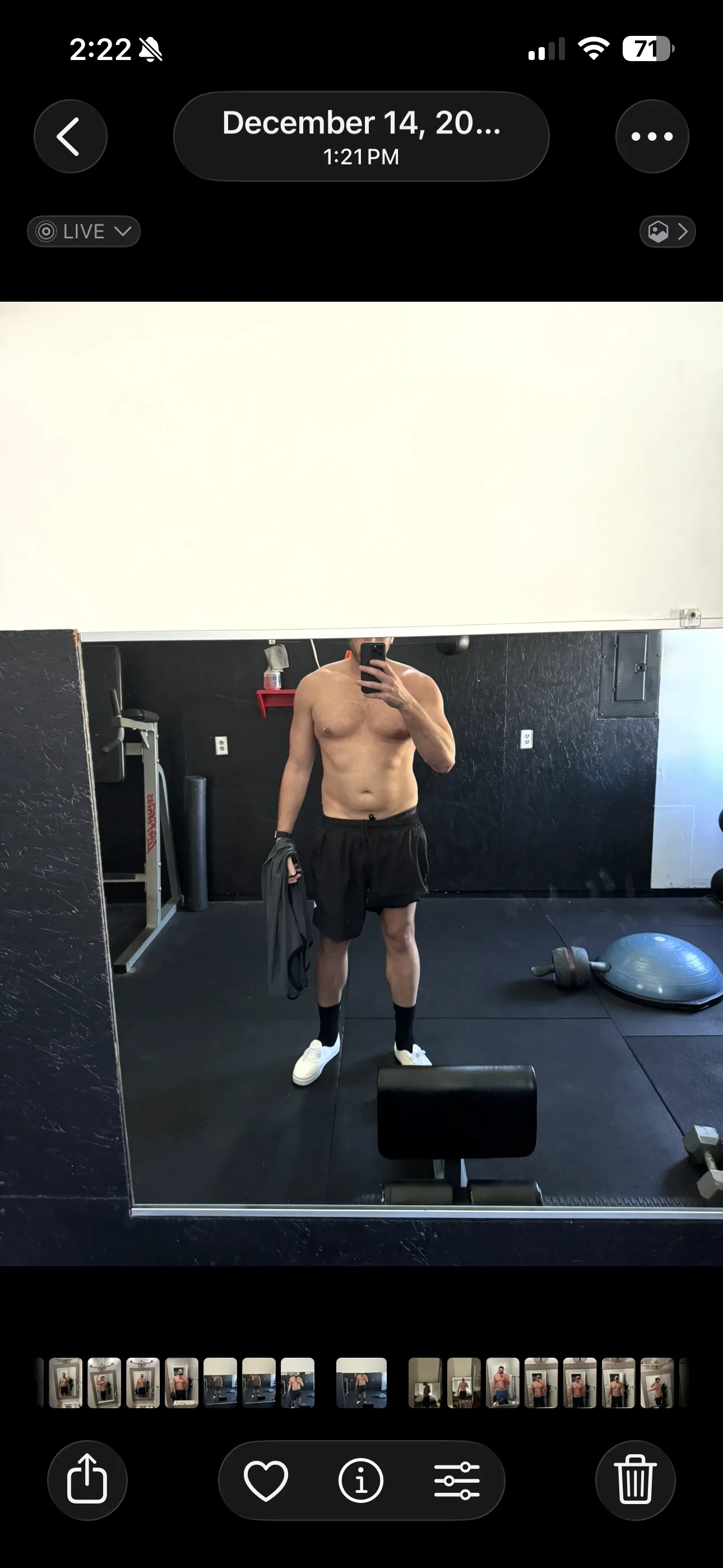
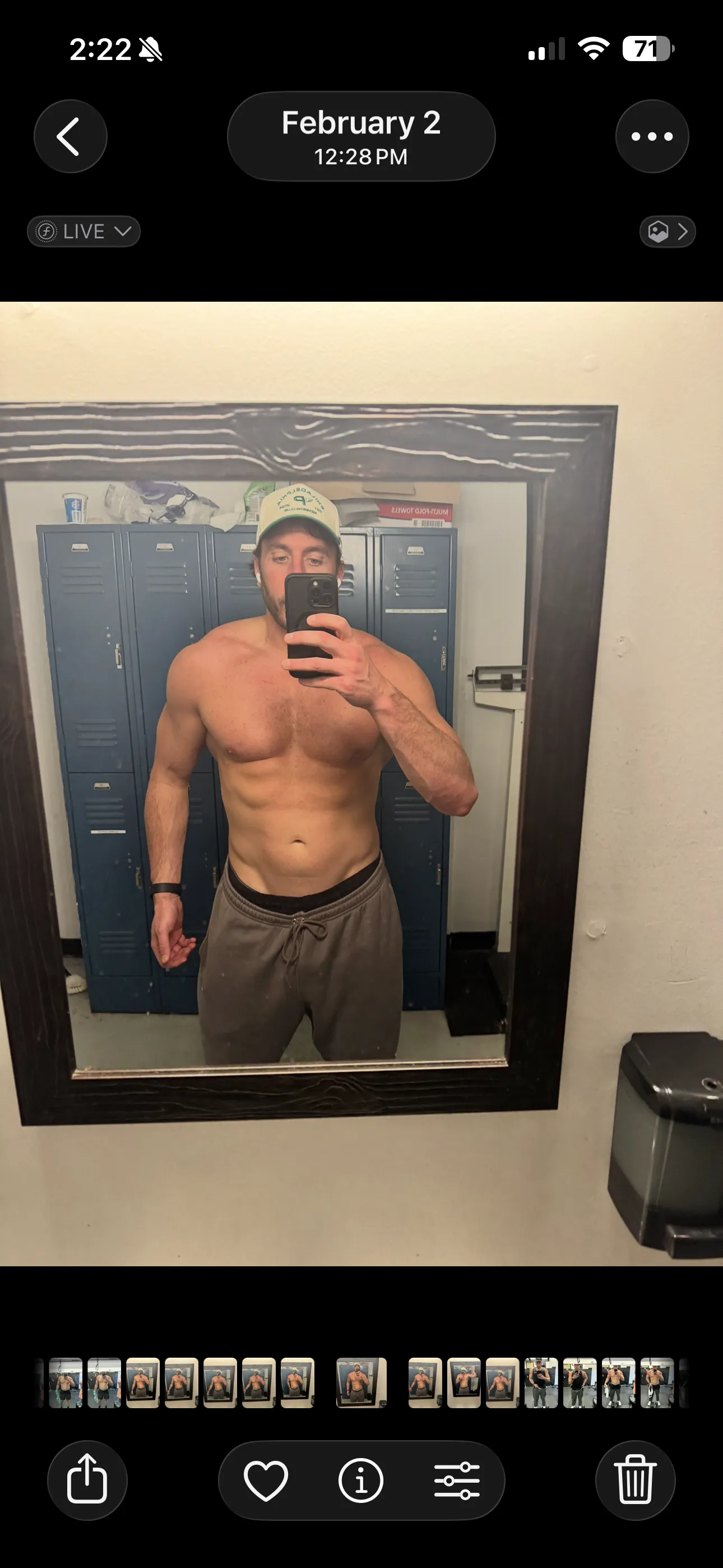
After: GainFrame auto-aligns your photos so your body is the same size, in the same position, in both frames - regardless of how the originals were shot. It detects your shoulders, torso, and hips, then scales and repositions each image to match.
The result: the only thing that's different between the two photos is your actual physique. That's what a real comparison looks like.
4. You had no workout context
Before: You're looking at a photo from March where your shoulders look bigger. Was that after a shoulder day? Were you on a new program? What exercises were you actually doing back then? You have no idea. The photo exists in a vacuum - separated from the training that produced it.
After: GainFrame connects to Hevy and attaches your workout data to the photo from that day - exercises, sets, reps, total volume. Open any photo and you'll see exactly what you did. Compare two photos and you'll see exactly which program produced the change. Your photos finally have context - and your training finally has proof. See how the Hevy integration works.

5. There was no analysis - just eyeballing it
Before: Your entire comparison process is: stare at two photos. Squint. Tilt your head. Ask your training partner "do I look bigger?" There's no structured feedback, no muscle-by-muscle breakdown, no identification of what specifically improved. It's subjective guesswork.
After: Tap "AI Compare" on any two photos and GainFrame breaks down exactly what changed - muscle group by muscle group. "Shoulders: Developing → Strong." "Chest: Needs Work → Developing." You get body fat change, weight delta, FFMI shift, and an overall physique score trajectory. Instead of guessing, you get a detailed progress report that shows you where you improved, where you stalled, and what to focus on next. Learn more about how the AI body composition analysis works.
6. You couldn't swipe between photos to spot differences
Before: You're holding your phone, switching back and forth between two photos in your camera roll, trying to spot subtle differences. Or maybe you screenshot both and crop them into a collage app. Either way, it's clunky, slow, and you miss the small changes completely.
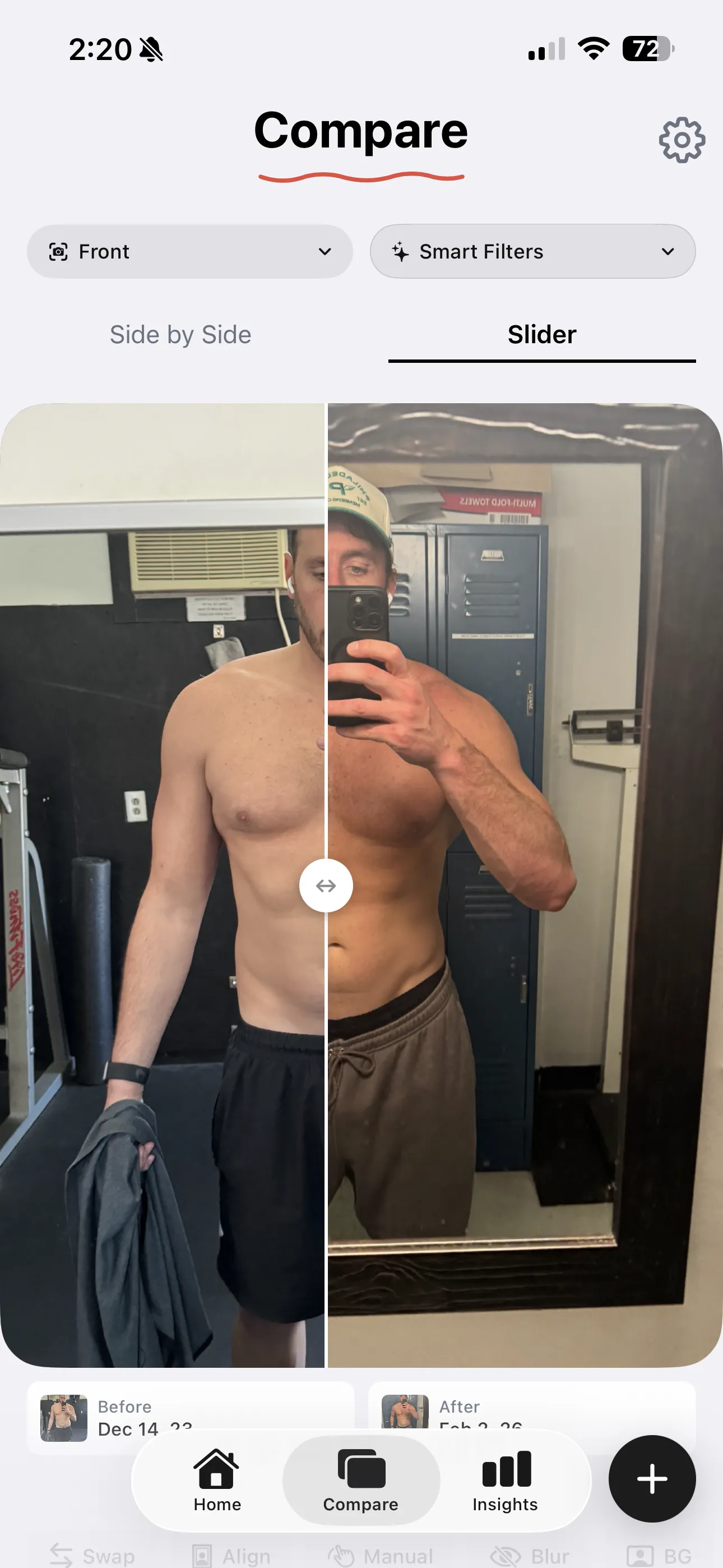
After: GainFrame's swipe slider lets you drag a dividing line across two aligned photos. Slide left: before. Slide right: after. Changes that are invisible side-by-side become unmissable when you swipe across them - a slightly thicker arm, sharper ab definition, a wider lat spread. It's the moment most people realize they made more progress than they thought.
To make the next comparison easier, build a 90-day photo schedule. Pick the check-in dates now and keep the same pose and framing each time.
The real problem with comparing progress photos
The old way of comparing progress photos wasn't just inconvenient - it was actively hiding your progress from you. Misaligned framing, missing data, zero analysis. You were putting in the work and then using a broken system to judge the results. No wonder so many people quit when they were actually getting somewhere.
GainFrame fixes all of it. Auto-aligned photos. Weight and body fat overlaid on every image. AI analysis that tells you exactly what changed. A swipe slider that makes even the smallest improvements unmissable.
Your progress was always there. Now you can actually see it. If you already have two photos, the free Progress Photo Compare tool puts them into a private side-by-side view in your browser. Ready to lock in your setup? Use our free progress photo setup tool to make sure every variable is dialed in before your next photo. And if you don't have a before/after pair yet, you can run the comparison in reverse - our free AI body transformation tool renders the "after" that a year of consistent training could build, from the one photo you take today.
Related Articles
- 7 Best Body Transformation Apps in 2026 (Ranked & Compared)
- 5 Tips for Better Progress Photos (No Tripod Needed)
- Import Progress Photos Into a Body Transformation Timeline
- Deep Dive Compare: Quantify Exactly What Changed
- How AI Body Composition Analysis Works
- Understanding the AI Physique Score
- 🛠️ Progress Photo Setup Tool (Free)