
Why context is everything
A photo isolated in your camera roll only tells you what you looked like. It's a single data point.
When you open a photo in GainFrame, you see a complete snapshot of your fitness journey on that exact day:
Body Composition
GainFrame's AI calculates your estimated body fat %, BMI, FFMI, and scores 12 individual muscle groups.
Weight Scaling
GainFrame pulls your daily weigh-in via Apple Health and pins it to the photo.
The Hevy Workout
Every exercise, set, and rep from that day, plus your total aggregated volume.
When you put all of this together, you can finally answer the question: "Did this program actually work?"
Comparing photos with workout context
The real magic of the Hevy integration happens when you compare two photos months apart.
Instead of just eyeballing whether your shoulders look wider, GainFrame's AI comparison tells you exactly how much your shoulder muscles improved visually (e.g., "Developing → Strong"). And right below that result, you can see your Hevy logs.
You might notice that your lateral raise volume doubled over those six months. Or that you switched from dumbbell to barbell overhead press. You're no longer guessing about what works — you have the workout data and the visual proof sitting side-by-side.
Smart Album Sync: hands-free photo import
The Hevy connection covers the training half; Smart Album Sync covers the photo half. Most progress photo apps require you to manually import photos every time you take one. GainFrame eliminates that step entirely.
- Select a source album. Pick any album from your Photos library, for example a "Gym" album you already organize your selfies into.
- GainFrame watches it. Whenever new photos appear in that album, GainFrame automatically imports and processes them. AI classification, scoring, and timeline insertion happen in the background.
- Smart filtering. The sync engine skips screenshots, saved photos from other apps, and non-body images. Only actual gym photos make it through.
- Deletion blocklist. If you delete a photo from GainFrame, the sync engine remembers it and won't re-import it, even if it's still in the source album.
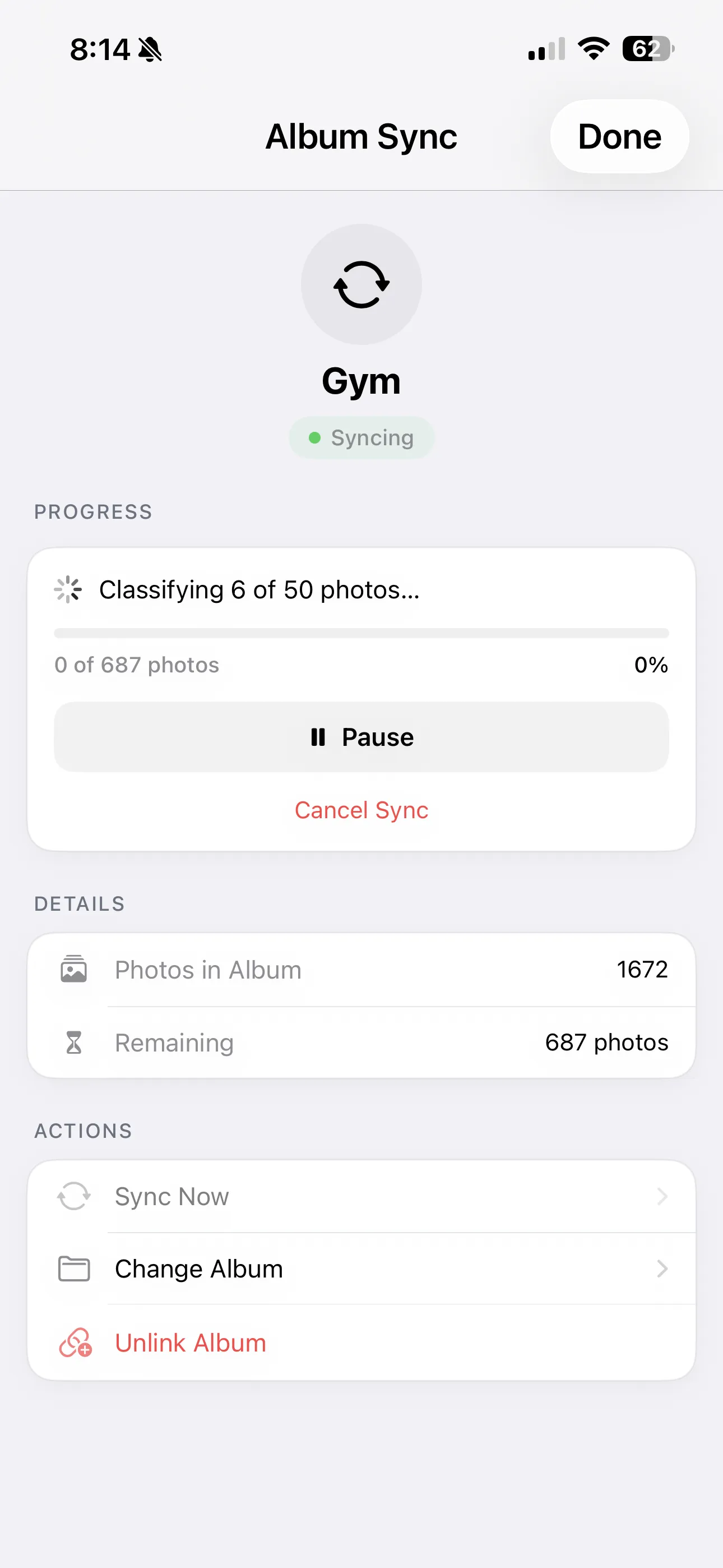
The result: your GainFrame timeline stays up to date without any manual effort. Add a photo to your gym album, and next time you open GainFrame, it's already classified, scored, and sitting in your timeline, with the matching Hevy workout attached.
The missing piece of your fitness stack
You already track your macros. You already use Hevy to track your lifts. It's time to stop treating your progress photos like a messy folder of random selfies.
GainFrame takes the precision you apply to your training and applies it to your physique tracking. Connect Hevy, sync your photos, and let GainFrame build your ultimate transformation timeline. To get the most out of both apps, check out our tips for better progress photos.