
You opened ChatGPT, typed "write me a 4-day hypertrophy program," and 30 seconds later you had a routine. It looked credible. It had compound lifts, accessories, rest intervals, RPE numbers. You ran it for three weeks. And now you're staring at the output wondering if you're actually building muscle, or just sweating.
That gap — between "AI gave me a plan" and "I actually got bigger and stronger" — is the part nobody is writing about. Tom's Guide, TechRadar, every AI listicle from 2025 will teach you how to prompt ChatGPT for a workout. None of them teach you how to tell if the workout is working. That's what this post fixes.
Here's the structure: the prompt template that actually generates a usable routine, the four invisible failure modes that wreck plans by week 4, and the 3-week validation rule that tells you whether to keep the program or re-prompt for a new one. Plus the data stack you need so the next iteration of the plan is based on facts, not feel.
Using Meta's newer assistant? The Meta Muse workout-plan guide pairs planning prompts with a starting-photo routine. For ongoing reviews, use the weekly Muse check-in template.
Why people are using ChatGPT for workouts
ChatGPT became the default AI workout planner in 2025 for the same reason it became the default everything: it's free, it's instant, and it doesn't lock you into a subscription. Fitbod charges $80/year. FitnessAI charges $90/year. ChatGPT generates a similar program for free in less time than it takes either of those apps to onboard you.
It's also infinitely customizable in plain English. "I have a bad shoulder, no barbell, and 45 minutes three times a week" is a sentence ChatGPT understands. Apps require you to navigate setup screens, equipment toggles, and goal selectors. ChatGPT just listens.
But that flexibility hides the failure modes. ChatGPT writes plans that look like coaching but aren't grounded in your recovery, your nutrition, or whether your body is actually responding to the stimulus. By week 4, the gap shows up. By week 8, you're stalled and don't know whether the issue is the program, your sleep, your calories, or just bad luck. That's where this guide picks up.
The prompt template that actually works
The reason most ChatGPT workout plans come out vague is the prompt is vague. "Write me a workout" gets you a generic split. The version below is the one I actually use — it forces ChatGPT to commit to specifics that you can then verify and progress against.
Copy this directly into ChatGPT, fill in the bracketed fields, and send it as a single message. Don't break it into multiple turns — single-shot prompts get more coherent output.
Copy-paste promptYou are a strength and hypertrophy coach designing a [N]-week training program. CONTEXT - Age: [X] / Sex: [M/F] / Height: [X] / Weight: [X] - Lifting experience: [beginner / 1-3 yrs / 3+ yrs] - Goal: [hypertrophy / strength / body recomposition] - Days per week available: [3 / 4 / 5 / 6] - Equipment available: [full commercial gym / home gym / dumbbells only] - Injuries / restrictions: [list, or "none"] - Current 1RMs (if known): squat [X], bench [X], deadlift [X], OHP [X] PROGRAM REQUIREMENTS - Periodized for progressive overload (specify how loads increase week to week) - Compound lifts as primary movements, isolation as accessories - Include warm-up sets, working sets, rest intervals (in seconds) - Specify RPE or RIR per set - Include a deload week if program is 6+ weeks OUTPUT FORMAT - Markdown table per workout day - Columns: Exercise | Sets | Reps | Rest | RPE | Notes - Provide rationale for each major exercise choice - End with progression instructions (when to add weight, what to do if a lift stalls)
A few notes on why this prompt works where shorter ones fail. The CONTEXT block is non-negotiable — without your stats, ChatGPT picks generic loads. Without your equipment, it programs barbell lifts you can't do. Without your injury list, it puts overhead pressing in front of someone with a torn labrum. Garbage in, garbage out applies more harshly to AI than to humans.
The PROGRAM REQUIREMENTS block forces structure. Without the periodization line, ChatGPT will give you the same workout for 8 weeks. Without the RPE/RIR line, you get rep ranges with no intensity guidance. Without the deload line, you lift to failure for 8 weeks straight and wonder why you can't recover.
The OUTPUT FORMAT block is the one most people skip, and it's the one that matters most. Tables let you scan a workout in 5 seconds at the gym. Rationale lets you sanity-check the choices. Progression instructions are what make the plan iterable instead of static.
Why ChatGPT plans drift after 3-4 weeks
This is the section nobody else writes. ChatGPT is a confident output machine — it gives you a plan that looks coherent regardless of whether the underlying logic is sound. There are four specific failure modes that show up between week 3 and week 6 of any ChatGPT-generated program. If you're aware of them, you can catch them. If you're not, the plan slowly stops working and you don't know why.
Failure 1: No real progressive overload
ChatGPT will write "Week 1: 225 x 5. Week 2: 230 x 5. Week 3: 235 x 5. Week 4: 240 x 5." That looks like progression. It isn't. It's a linear extrapolation untethered from your recovery, your sleep, or whether week 1 actually felt easy. Real progression is conditional: if the previous week was completed at the prescribed RPE, then add load. ChatGPT's default progression is unconditional — it tells you to add weight whether you earned it or not.
The fix is in your prompt and in your logging. Demand "conditional progression rules" in the OUTPUT FORMAT block. And use a logger like Hevy or Strong to track what you actually completed at what RPE — not what the plan said you'd do.
Failure 2: No recovery awareness
ChatGPT can't see your sleep. It can't see your soreness. It can't see your HRV. A plan that worked in week 1 — when you were fresh — may be wrecking you by week 4 because volume accumulates and your nervous system is fried. ChatGPT will keep prescribing the same intensity because it has no signal to do otherwise.
The fix is to manually feed recovery data back into the chat. After week 2, send: "I'm waking up tired, my bench felt heavier than week 1 at the same load, and my sleep score has been below 70 for four nights." ChatGPT will respond by reducing volume or adding a deload — but only if you tell it. It will not infer.
Failure 3: No body comp feedback
This is the big one. ChatGPT writes a "hypertrophy" plan and assumes muscle is being built. It has zero way to know if you're actually gaining muscle, gaining fat, recomping, or stalling. Without body composition data, "the plan is working" is a vibe, not a measurement.
The scale alone won't fix this. If you weigh 180 in week 1 and 182 in week 4, you don't know whether that's +2 lbs of muscle, +2 lbs of fat, or +1 lb of each. GainFrame exists specifically to close this gap — it scans your physique and gives you body fat %, lean mass, and FFMI from a check-in photo, so the next ChatGPT prompt can be based on actual composition data instead of scale weight.
Failure 4: Hallucinated specifics
ChatGPT will confidently recommend exercises that don't exist, rest intervals that contradict its own rationale, or rep schemes that don't match the goal it just stated. "Pendlay row 4x6 at RPE 8, then Yates row 4x6 at RPE 8" is a real thing ChatGPT will write — two near-identical exercises back-to-back because it pattern-matched to "row variation" without thinking about whether stacking them makes sense.
The fix is sanity-checking the output before you commit to it. If something in the plan looks weird, ask ChatGPT: "Why did you put X and Y in the same session?" Sometimes it has a real reason. Often it doesn't, and it'll cheerfully revise. Trust the rationale block more than the table — if the rationale doesn't match the table, the table is wrong.
The 3-week validation rule
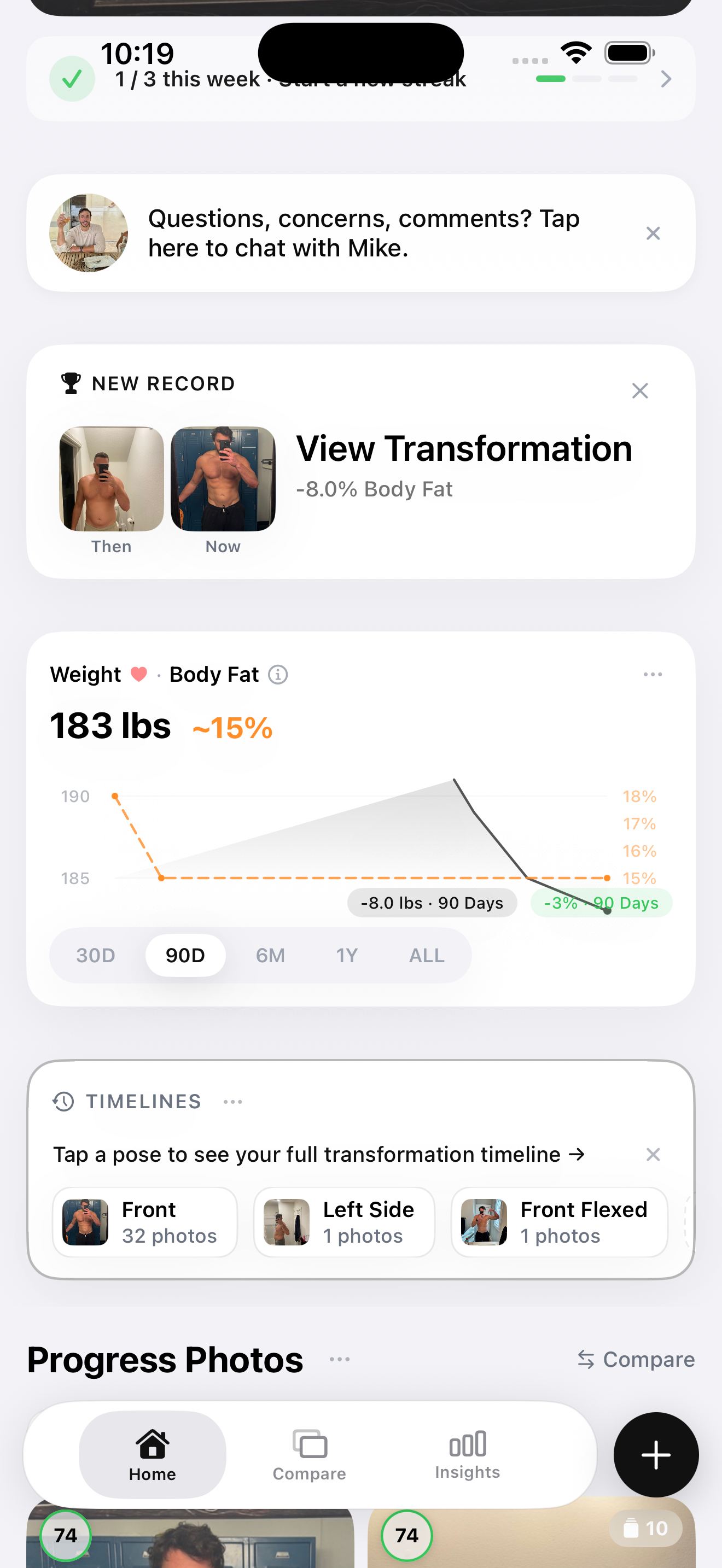
This is the framework that turns ChatGPT from a plan-writer into an iterable coach. The rule is simple: don't iterate the plan based on how you feel. Iterate based on data, after exactly 3 weeks.
Three weeks is long enough to see real strength and composition trends. Shorter than that and you're inside noise — week-to-week strength fluctuates from sleep alone. Longer than that and you've burned time on a plan that may already be drifting. After three weeks, look at two data points: strength progression and body composition. The intersection of those two tells you what to do next.
| Strength | Body Composition | Verdict | Action |
|---|---|---|---|
| Up | Improving (lean mass up or BF% down) | Plan is working | Continue. Don't change anything. |
| Up | Flat | Diet issue, not plan issue | Adjust calories/protein. Keep the program. |
| Flat | Improving | Recovery is fine, plan needs more volume | Re-prompt for added volume or new exercises. |
| Flat | Flat | The plan drifted | Re-prompt ChatGPT with all 3-week data and regenerate. |
The reason this matrix exists is that "the program isn't working" is too coarse a diagnosis to act on. If your bench is up 10 lbs but your body fat hasn't moved, the program is doing its job — your kitchen isn't. Changing the workout would be the wrong fix. Conversely, if your body fat is dropping but your lifts are stuck, recovery is fine but the stimulus has gone stale — that's a program problem, not a diet problem.
You can't run this matrix without two pieces of data: a strength log and a body composition reading. Which is the next section.
The 3-data-point stack you actually need
To run the 3-week validation rule you need three data sources running in parallel. Skip any of them and the matrix breaks.
Strength tracking — Hevy or Strong. Log every working set with weight, reps, and RPE. Trends over 3 weeks matter more than weekly PRs. Hevy has a free tier that covers everything you need; Strong is the original, polished alternative. If you're using ChatGPT for the plan, Hevy's HevyGPT integration lets you import a routine directly from a chat — bridging the planning and tracking layers without re-typing.
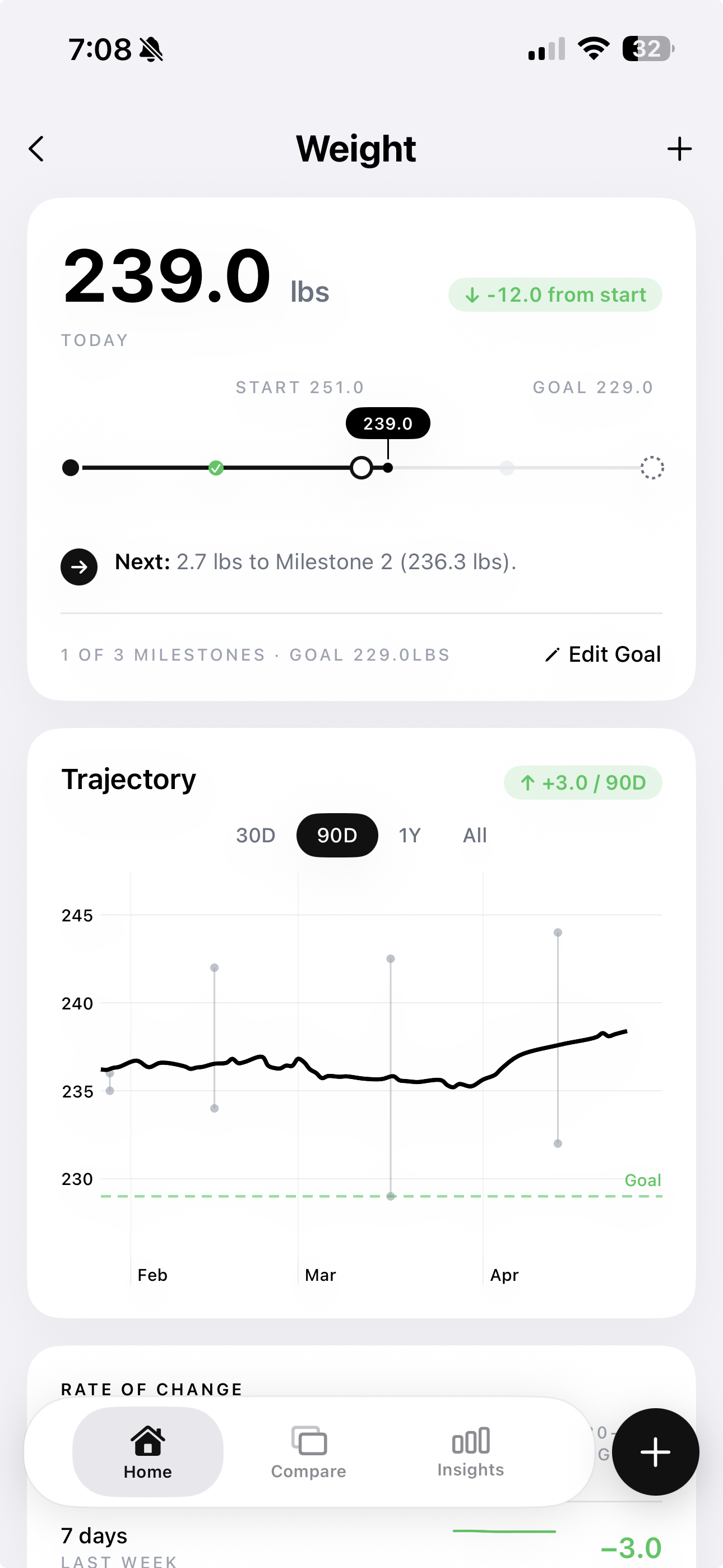
Body composition — GainFrame. Take a check-in photo every 7-14 days. Each scan produces body fat %, lean mass, and FFMI you can feed back into ChatGPT for the next iteration of the plan. This is the data layer most ChatGPT users skip — and it's exactly what makes the difference between "the scale moved 2 lbs" and "I gained 2 lbs of lean mass while body fat stayed flat." Without composition data, you can't run the 3-week validation matrix at all.
Nutrition tracking — MacroFactor or any calorie tracker. Without nutrition data, you can't tell if a stalled plan is the program's fault or the diet's. MacroFactor is the most lifter-friendly option — it auto-adjusts your calorie target based on actual weight trend, which removes the "did I overshoot maintenance?" guessing game. Any tracker works. The point is having the data, not which app you use.
Three apps. Roughly two minutes per day to log everything. The payoff is that after 3 weeks you have an honest answer to "is this plan working?" instead of a vibe.
Re-prompting ChatGPT after week 3
This is where the loop closes. After three weeks, you have strength data from your logger and composition data from GainFrame. You feed both back into ChatGPT, and it generates the next 3 weeks of the program — informed, this time, by what actually happened in your body instead of what it guessed in week 1.
Here's the follow-up prompt I use. Paste this into the same chat that generated your original plan, so ChatGPT keeps the context.
Copy-paste follow-upHere's my data after 3 weeks of the program you wrote: STRENGTH - Squat: started 225x5 → 245x5 (+20 lbs) - Bench: started 185x5 → 195x5 (+10 lbs) - Deadlift: started 275x5 → 285x5 (+10 lbs) - OHP: started 115x5 → still 115x5 (stalled) BODY COMPOSITION (from GainFrame) - Weight: 180 → 182 (+2 lbs) - Body fat %: 14.5% → 14.2% (-0.3%) - Lean mass: 154 → 156 (+2 lbs) - FFMI: 22.1 → 22.4 What should I change for the next 3 weeks? OHP has stalled — should we add frequency or reduce volume?
The reason this works is that ChatGPT now has real numbers to react to. It can see that 3 of 4 lifts are progressing, that lean mass is up 2 lbs while body fat dropped slightly (textbook recomp), and that OHP is the one outlier that needs attention. It will give you a targeted revision — not a fresh-start program — because it can identify exactly which lever to pull.
Run this loop every 3 weeks. Three weeks of programming, one re-prompt, three more weeks. After two or three cycles you'll have a working dialogue with ChatGPT that's informed by your actual physiology instead of its guesses about an average lifter.
The honest verdict
ChatGPT is a great first-draft workout writer and a terrible feedback loop. It generates routines that are 80% as good as a paid app for $0 and zero friction. That's the win. But it has no eyes on your body, no signal from your recovery, and no memory of whether last month's plan actually worked. That's the loss.
The fix is to stop treating ChatGPT as a coach and start treating it as a routine generator that needs an external feedback layer. The routine comes from ChatGPT. The strength data comes from Hevy or Strong. The body composition data comes from GainFrame. The nutrition data comes from MacroFactor. The combination is what closes the gap between "AI gave me a plan" and "I actually built muscle."
Use ChatGPT for the plan. Use a logger for the strength data. Use a body comp tracker for the composition data. Re-prompt every 3 weeks with both. That's the workflow that makes free AI coaching actually work.
Close the feedback loop on your ChatGPT plan.
GainFrame gives you the body composition data ChatGPT can't see — body fat %, lean mass, FFMI, and per-muscle-group scoring from a check-in photo. Feed it back into the next prompt and your AI plan stops drifting. Free on iPhone, no subscription required.
Download GainFrame Free