
Quick answer: Choose GainFrame for photo-based physique estimates and ongoing comparisons, Progress for measurements alongside paid photo tracking, Metamorph for aligned photo sequences, or Hevy for photos alongside your workout log. SnapTrack remains a legacy option with paid imports and overlays. Check the actual photo features before treating a free download as a free tracker.
You import 30 photos, then discover that comparing them needs a subscription. Or you choose a workout logger and find it cannot hold all three poses under one date. Start with the job you need your progress photo app to do.
Updated September 21, 2026 from US iTunes listings and linked developer documentation. Ratings are a dated snapshot. This is a researched comparison of advertised features, not a hands-on test of every app or an independent accuracy study. The publisher makes one of the apps covered here.
Which features should you compare before choosing?
| App | Photo history and imports | Alignment and comparison | Export or AI | Free boundary |
|---|---|---|---|---|
| GainFrame | Dated check-ins; existing-photo import | Guided poses and photo comparisons | Comparison cards; AI estimates; advanced reports on Pro | Free capture/import limits vary by install; Pro expands access |
| Progress by Lasmit | Measurements and dated photos | Side-by-side photos; Smart Overlay noted in release history | Reports and measurement context; body fat can be logged | Progress photos are Pro |
| Metamorph | Take or upload photos | Automatic alignment and overlays | GIF and video exports | Free download; exact feature allowance not itemized publicly |
| SnapTrack | Multiple photos per day; imports are an in-app purchase | Body-position overlay is an in-app purchase | Sharing is an in-app purchase; no advertised AI scoring | Basic capture and record; legacy app last updated in 2017 |
| Hevy | Camera or library photo in Measures | Private library and side-by-side comparison | Shareable image; entered body metrics | Free workout tier; advanced tracking and history have Pro limits |
For a budget-first shortlist, see the separate free progress photo options. The table describes advertised capabilities; unspecified limits remain unspecified.
Which app fits photo-based physique tracking?
1. GainFrame: physique estimates alongside your photo history
Official site · US App Store · 4.89/5 from 62 ratings (September 21, 2026).
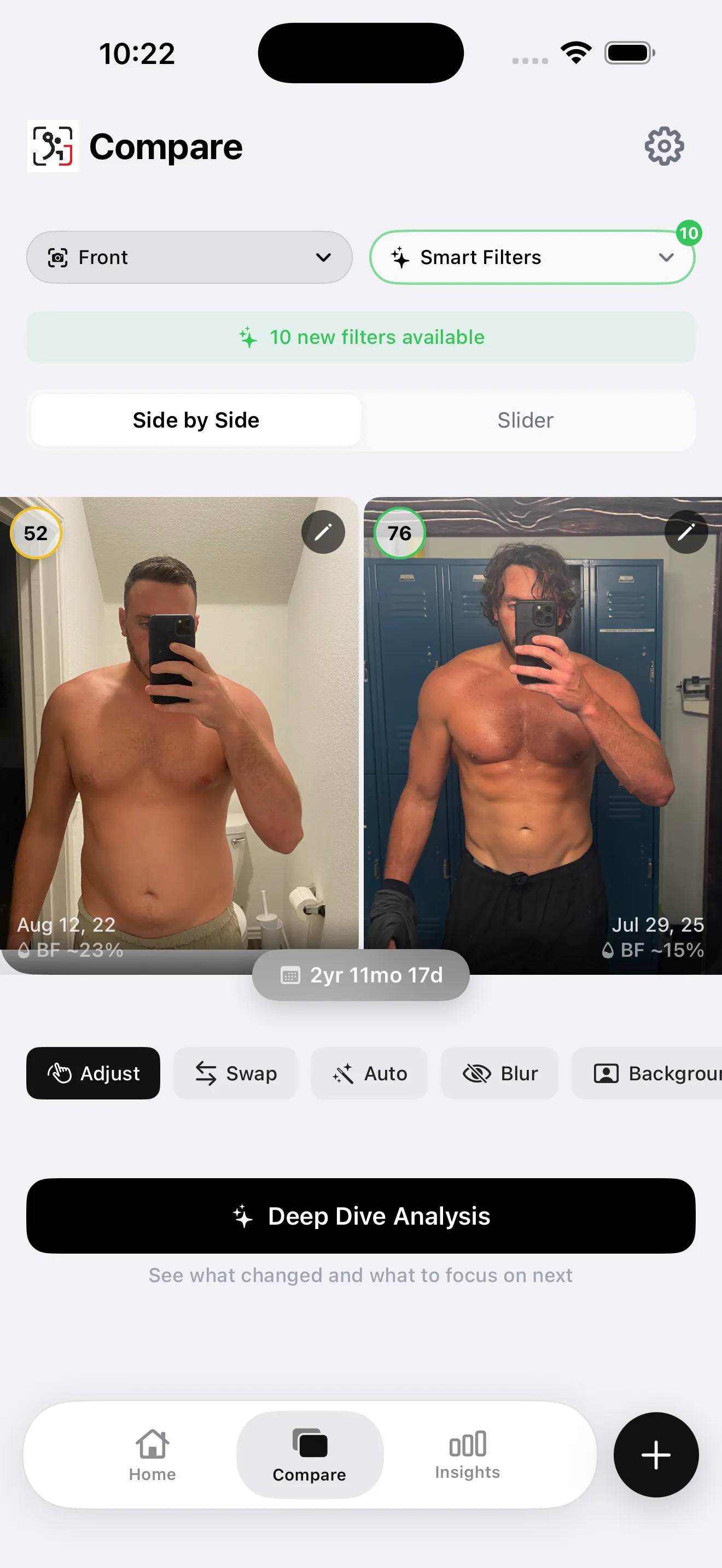
App screenshot from our library. Dated side-by-side check-ins with physique scores and estimated body-fat context.
The app combines imports, guided poses, dated comparisons and photo-based body-fat estimates. Detailed muscle analysis covers 12 groups across the relevant poses. Hevy integration adds training context when you choose to connect it.
Automatic scoring has free access within capture and import limits. Advanced Deep Dive reports, AI Compare and unlimited imports require Pro. Limits differ between newer and legacy installs, so the allowance shown in your app is the relevant one.
Choose it for: repeated physique check-ins with written analysis available on Pro. Tradeoff: iOS only, and the estimates depend on the submitted photos. The library stays on your device; selected photos are processed by an AI service when you request analysis.
Which app combines measurements with paid photo tracking?
2. Progress by Lasmit: measurements and photo context
Official site · US App Store · 4.63/5 from 9,344 ratings (September 21, 2026).
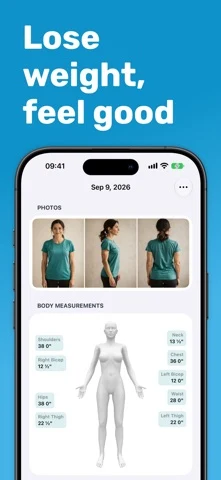
Developer-supplied App Store screenshot. Progress combines a photo record with body-measurement tracking.
The US listing currently calls this Body Measurements Tracker App. It supports weight and measurement records, side-by-side photos and Apple Health integration. Its release history describes Smart Overlay and photo-date navigation.
Choose it for: a measurement-led record with photos beside the numbers. Tradeoff: the listing explicitly puts progress photos, past-data entry and several reporting features in Pro. Logging body-fat percentage should not be confused with estimating it from a photo.
Which app focuses on aligned photo sequences?
3. Metamorph: alignment and transformation exports
Official site · US App Store · 4.37/5 from 67 ratings (September 21, 2026).
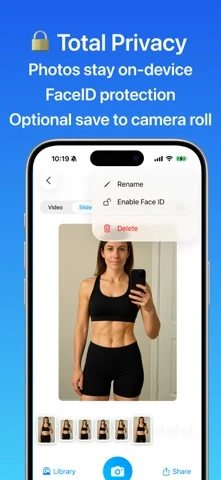
Developer-supplied App Store screenshot. Metamorph shows its photo library and on-device privacy controls.
The developer advertises taking or importing photos, automatic alignment, overlays, reminders and GIF or video exports. That makes it relevant when your main output is a consistent photo sequence. Photos remain on your device or in your iCloud account according to the listing.
Choose it for: a dedicated capture-to-timelapse workflow. Tradeoff: the public description does not itemize every free allowance. Check the export and storage access in the current app before importing your entire history; no body-composition scoring is advertised in the description reviewed.
What should you know about older progress-photo apps?
4. SnapTrack: a legacy photo journal
Official site · US App Store · 3.40/5 from 45 ratings (September 21, 2026).
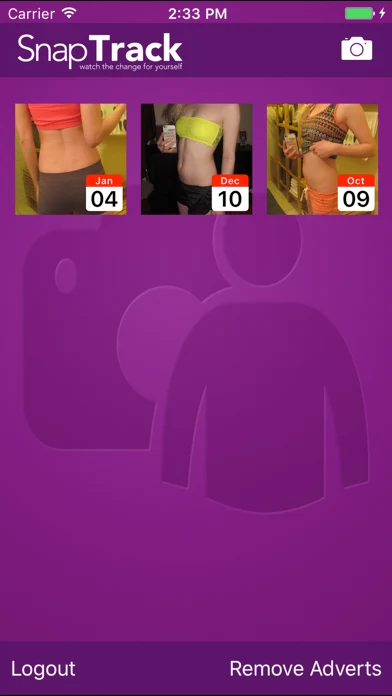
Developer-supplied App Store screenshot. SnapTrack displays dated photos in its legacy photo journal interface.
The live listing offers multiple photos per day and measurements. It separately identifies imports, the body-position overlay and sharing as in-app purchases. A profile supports access across devices; the listing also describes a single-device option without a profile.
Choose it for: evaluating an existing archive if you already use it. Tradeoff: the latest listed update is June 2017, and current iOS compatibility was not tested for this review. That makes it a lower-priority choice for a new long-term library despite its free download.
Which app keeps progress photos beside your training log?
5. Hevy: private photos and workout context
Official site · US App Store · 4.92/5 from 93,597 ratings (September 21, 2026).
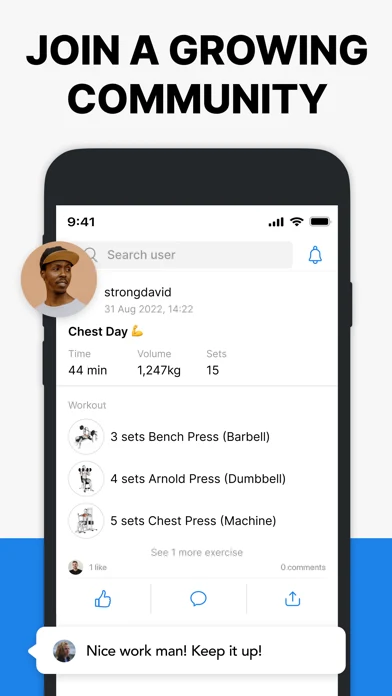
Developer-supplied App Store screenshot. Hevy records training sessions; its separate Measures area holds private progress photos.
Hevy's photo documentation describes camera or library uploads through Profile, then Measures. You can browse dates, compare two photos side by side and share an image. These private progress photos are separate from photos you post with workouts.
Choose it for: keeping a visual record in an app you already use for training. Tradeoff: the guide documents one progress photo per day, which is awkward for a front, side and back set. Its free-versus-Pro guide lists limits for routines, data history and advanced tracking; it does not provide a complete photo-feature allowance table.
How do you choose without rebuilding your photo library twice?
- Import two existing photos before committing to a large migration.
- Check whether the original dates remain clear.
- Try the alignment and comparison view you intend to use.
- Export a sample and check its resolution, watermark and price.
- Confirm where the photos are stored and how to retrieve them.
First, choose the workflow you need. Second, capture repeatable progress-photo poses. Third, try a comparison with your own files. You can compare two progress photos in your browser before choosing a long-term app.
What else should you know?
What is the best app for progress photos?
The best fit depends on your workflow. A photo-analysis app suits repeated physique estimates, Progress combines measurements with paid photo features, Metamorph emphasizes aligned sequences, and Hevy adds a private photo record to workout tracking. Compare import, export and free limits using two photos before choosing a long-term library.
Are progress photo apps really free?
Some offer usable free features, while others charge for imports, comparisons or photo history. A zero-price download alone does not establish what you can keep using without payment. For example, Progress lists photos as a Pro feature and SnapTrack lists imports and overlays as separate purchases.
Which progress photo apps can align images?
Metamorph advertises automatic alignment and overlays, and Progress describes Smart Overlay in its release history. The app made by this publisher also offers alignment and guided poses. Check the current tier required for each feature, and keep your camera position and pose consistent so alignment has comparable inputs.
Can Hevy compare progress photos side by side?
Yes. Hevy documents a private progress-photo library under Measures, where you can select a photo, position it beside another and create a shareable image. Its guide currently describes one photo per day. That differs from posting a gym photo alongside a workout, which follows your social-profile visibility.
Can an app tell exactly how much muscle I gained?
A photo app can document visible changes and may estimate body composition, but images alone cannot establish an exact amount of new muscle. Lighting, posture and clothing affect the result. Compare consistent check-ins alongside your training and weight context, and treat the estimates as one part of the record.